Community Rewards
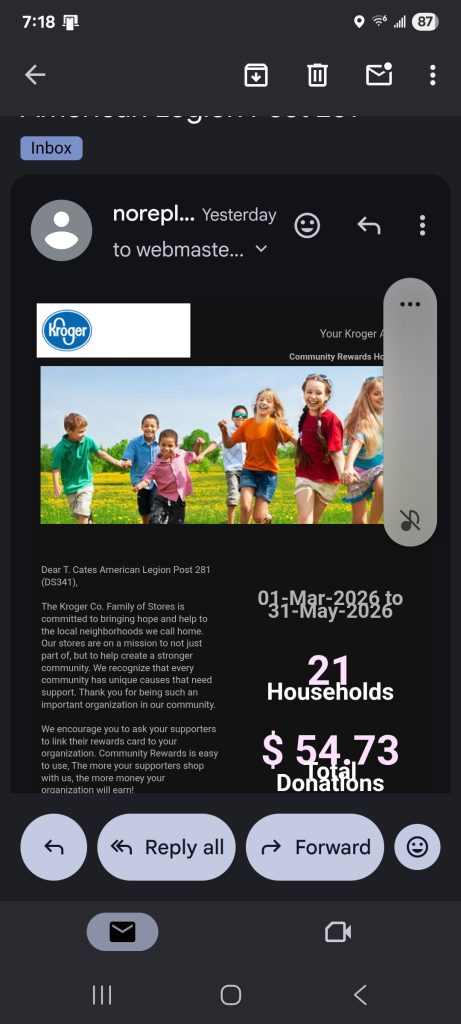
We sent out an update back in March before the flurry of activity leading up to our June meeting. We just received our quarterly statement so I wanted to share that with everyone and introduce our newest members to one of the Easiest, Most Painless Way to help support the post financially!
Here’s our current status. 21 households enrolled, earned $54.73 for the 1st Quarter, I think, without going out of the way. It just takes a few minutes to sign up.
The screenshots below have been updated. Update, update, update, I KNOW…
If you’re having trouble signing up, reply to this email and let me know when I can call to help.
 Most everyone has one of these. That is an account with Kroger that allows you to take advantage of their discounts and accrue fuel points or other rewards.
Other Rewards?
Other Rewards like Community Rewards!
You may remember some past postings here titled, “Almost Painless“. Here’s how the ‘new’ screens look.
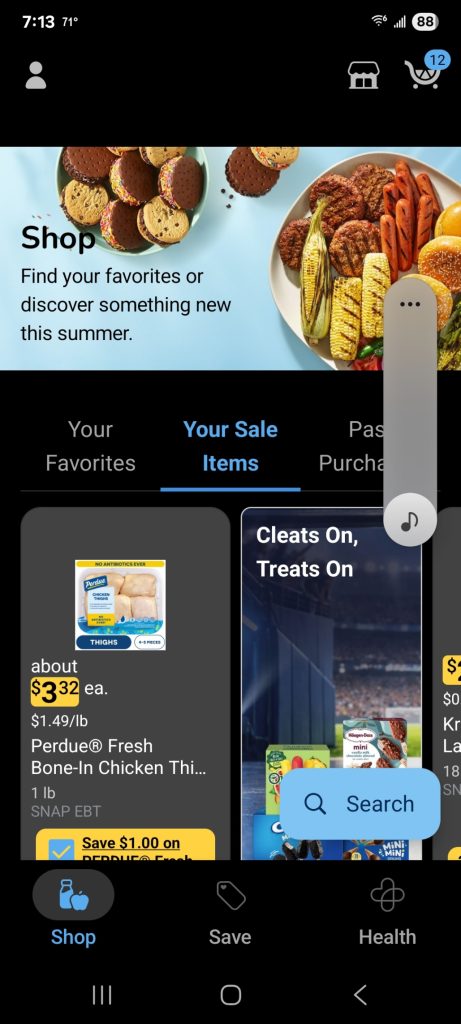
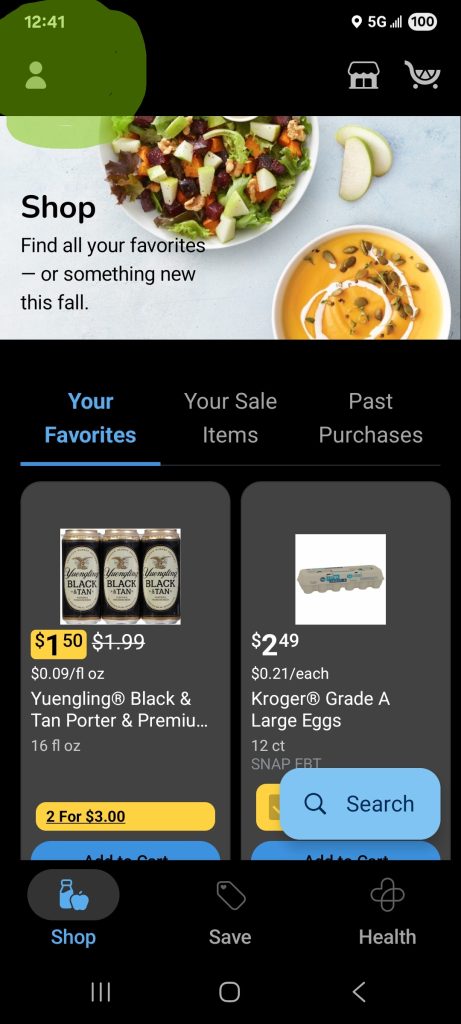
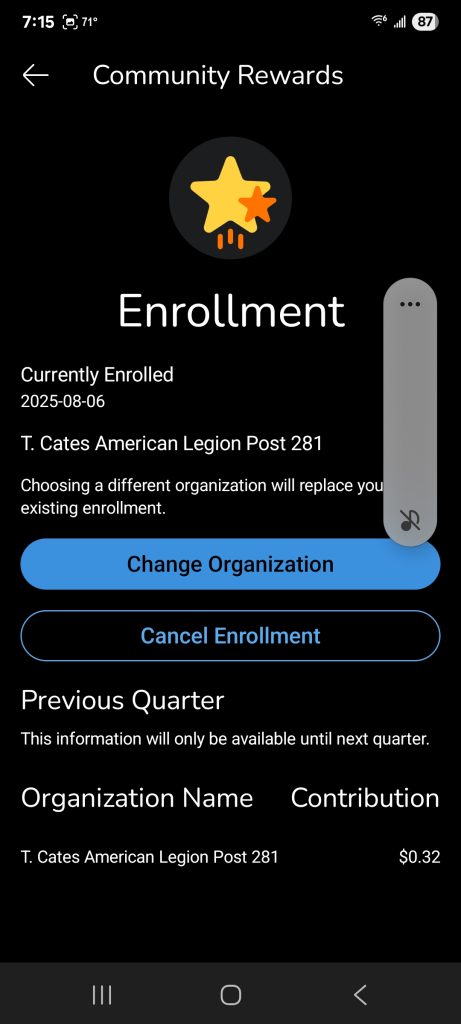
Start the Kroger App on your phone and Click on the Head & Shoulders icon at the top left
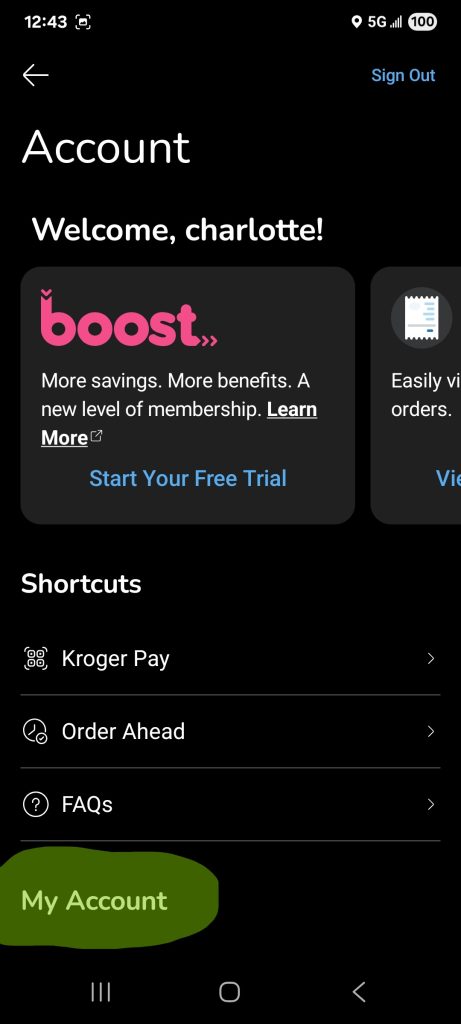
Scroll Down PAST, “My Account“
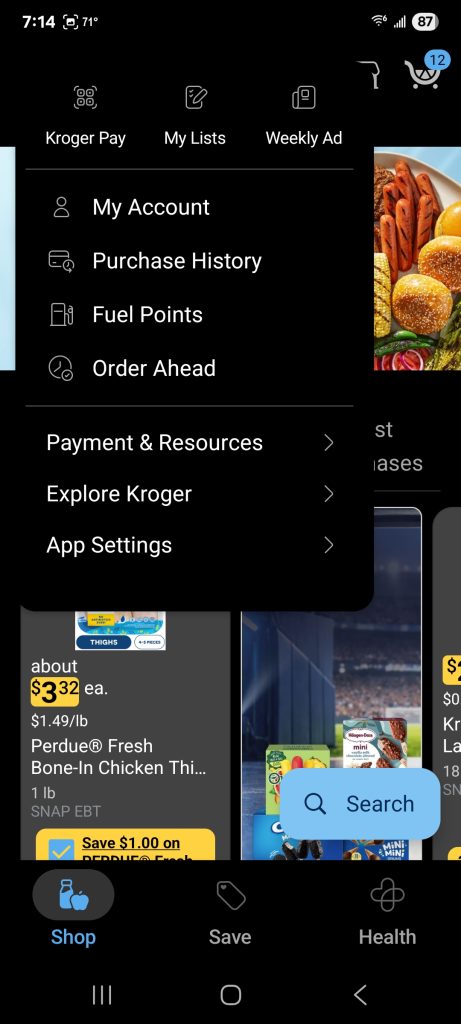
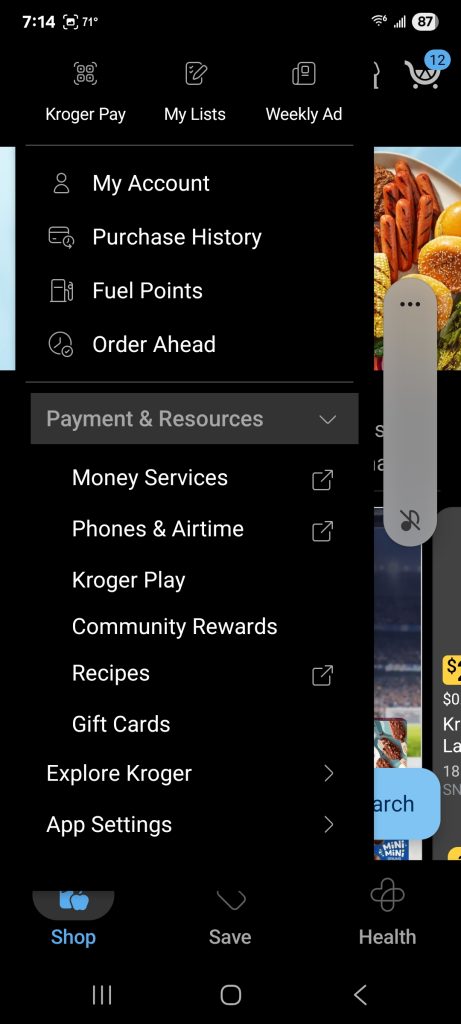
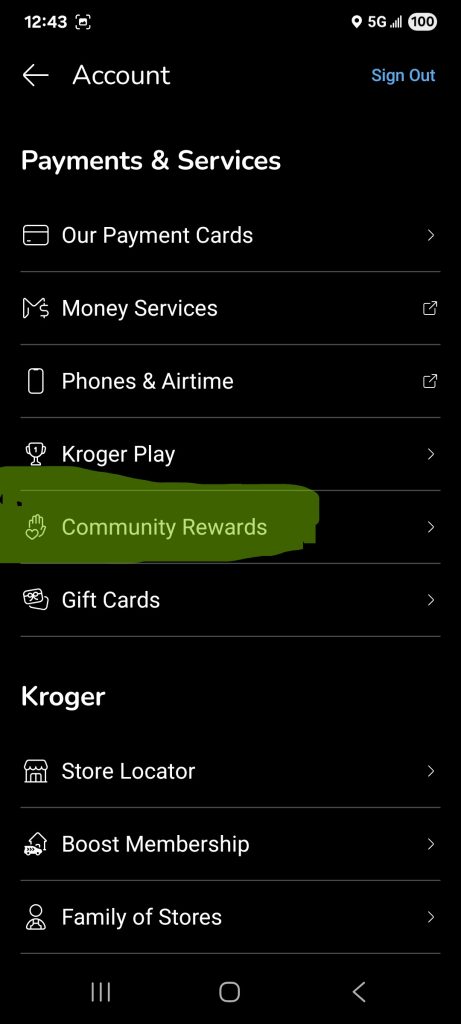
Select, “Community Rewards“
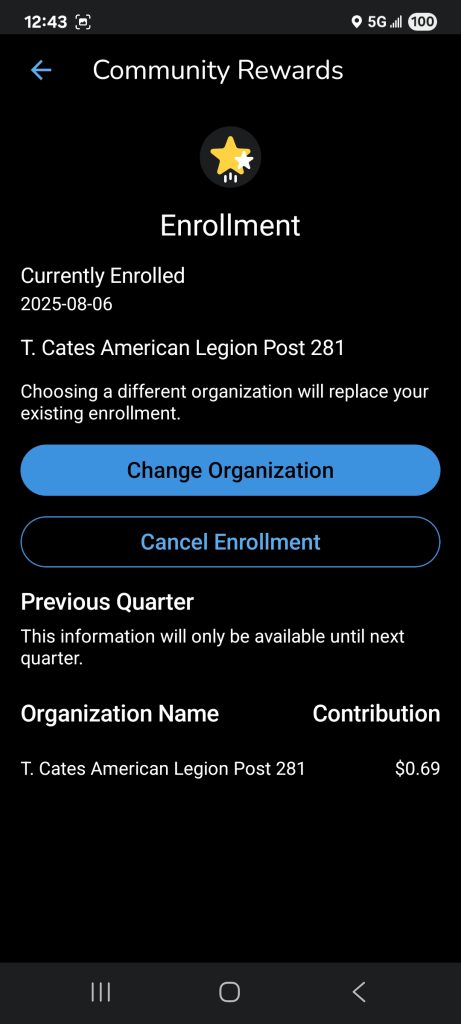
It may say “Change Organization” or Search for (Find an Organization) DS341 and Select “Enroll” and you’re done!
For those wishing to use a computer:
The following screenshots have not been updated,

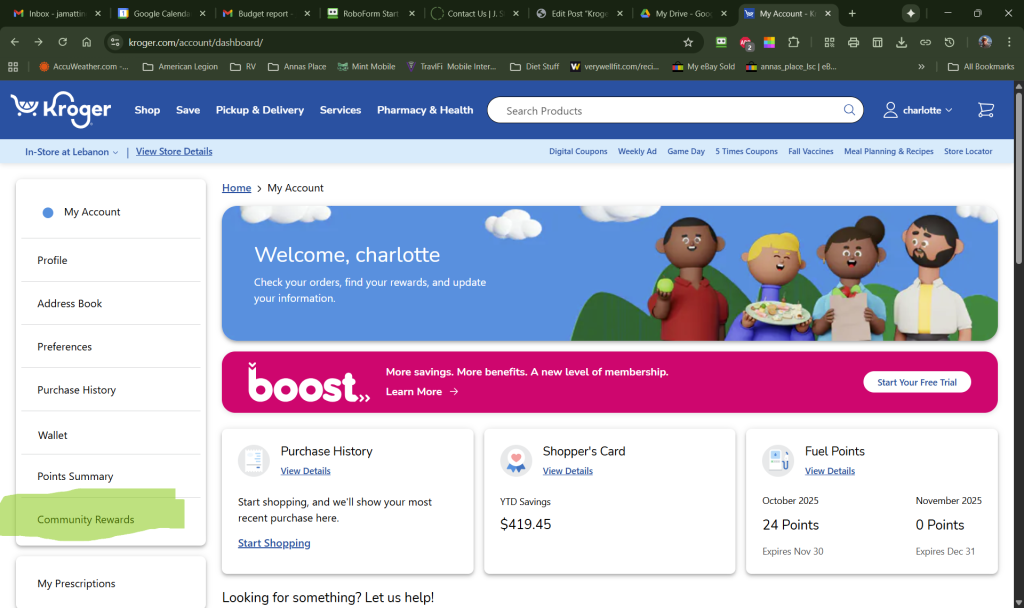
Log on to the Kroger webpage and click on the Head & Shoulders icon at the upper right.
Select “My Account“, then Select, “Community Rewards“
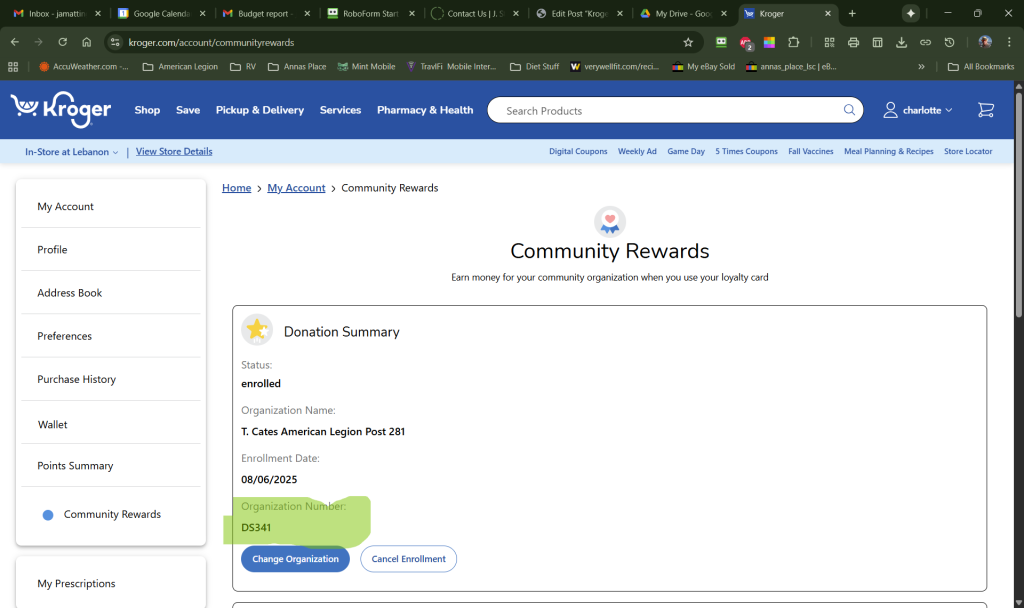
It may say “Change Organization” or Search for (Find an Organization) DS341 and Select “Enroll” and you’re done!
That was Almost Painless wasn’t it?